Sound and colour
Low/red, mid/green and high/blue bands combine oscillator waveforms and filters with opacity or scale visuals. Add noise and stereo detuning.
 SATURN FX
Low/red, mid/green and high/blue bands combine oscillator waveforms and filters with opacity or scale visuals. Add noise and stereo detuning.
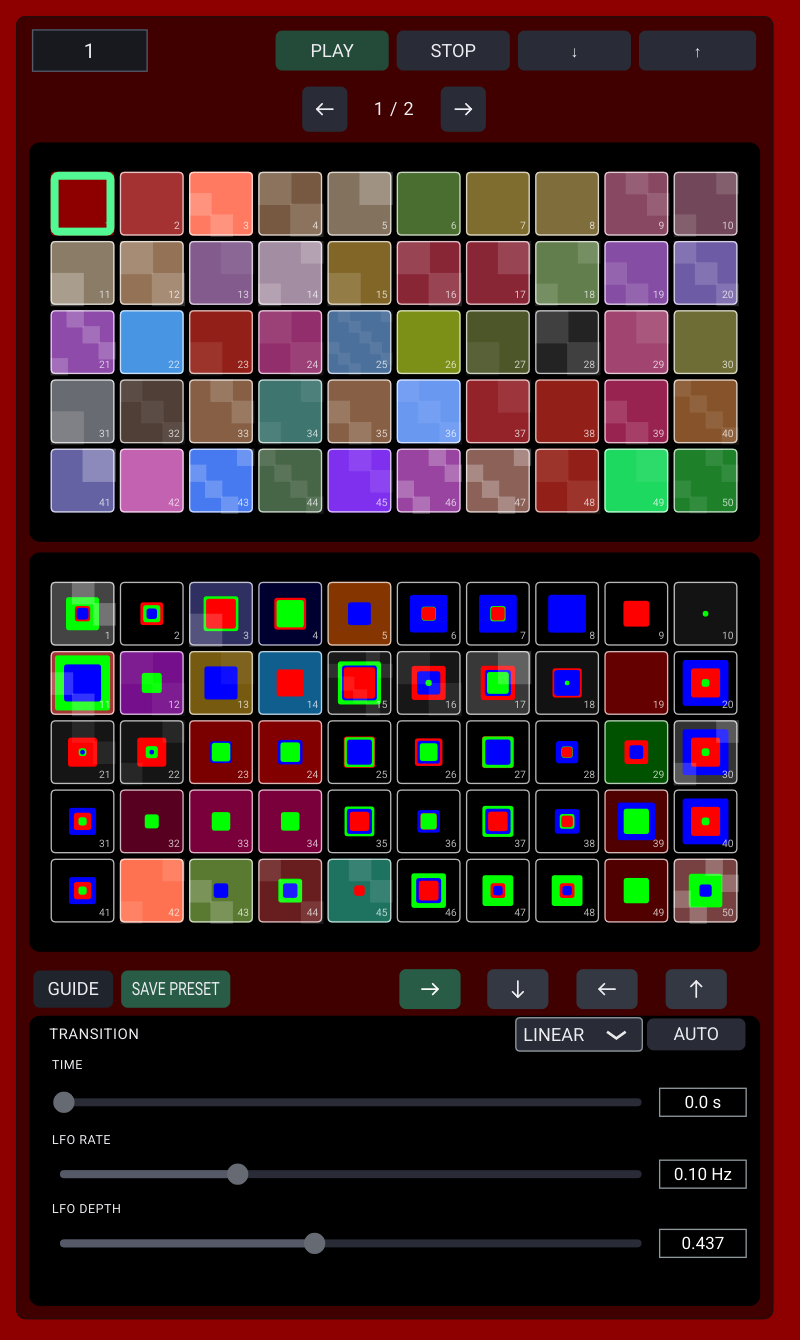
Explore two factory blocks and save your own settings in the User banks. Adjust transition time and use automatic preset traversal.
Classic, Dark and Vintage change the compositor appearance while leaving the sound and display output intact.
Display is above Selector; Compositor is below it. In Selector, swipe up for Display, down for Compositor, or left/right between Factory and User pages. On Display, swipe down for Selector or left/right for Compositor. On the compositor preview, swipe up, left or right to return to Selector. Use arrow buttons as an alternative. Drag controls to edit them; use the preview area for navigation.
The shared LFO's rate sets the timing and depth sets the amount. A parameter's direction and multiplier control its modulation. Opacity mixes a colour field; Scale grows a centred pure-colour rectangle. Preset recall leaves your output volume unchanged.
Open Guide and select Classic, Dark or Vintage. The choice is remembered and affects only the editor.
Guide includes Share, Rate and Help / feedback. Include the app version and steps to reproduce an issue when contacting support.
SparkFx is the fully featured performance edition. It adds MIDI/controller mappings, keyboard performance, more user banks and additional themes.


SPAFX
Create sound and moving colour with three oscillator bands and noise. Start at a low volume. PLAY starts the composition; STOP stops it.
Display is above Selector; Compositor is below it.
In Selector: swipe up for Display, down for Compositor, or left/right to switch Factory and User pages.
On Display: swipe down for Selector or sideways for Compositor.
On the Compositor preview: swipe up or sideways to return to the same Selector page.
Use the arrows for the same actions. Use the right scroll bar to move through controls without touching sliders.
Drag up or down anywhere over this text to scroll. Close the guide to return to the app.
LOW, MID and HIGH control the red, green and blue oscillator bands. Choose a waveform and frequency. Detune adds a small frequency difference between the left and right channels. Noise adds texture; NONE, NARROW and WIDE choose its resonance.
OPACITY mixes a band's colour into the background. SCALE makes a separate coloured rectangle. The filter controls its size. Each parameter's direction and multiplier control how the shared LFO moves it: OFF leaves it manual, + and - choose direction, and the multiplier sets relative speed. LFO Rate sets speed; Depth sets the amount of movement.
Tap a tile to recall it. To save, choose SAVE PRESET, then a numbered slot in the upper Variable or lower Constant block on the User page.
TRANSITION sets the time between presets. Drag for 0-30 seconds or tap the number to enter up to 60 seconds. LINEAR blends between presets; INTERVAL waits before changing. AUTO advances through the selected block. The four arrows choose row-forward, column-down, row-reverse or column-up order. Selector Rate and Depth adjust the recalled preset.
Choose Classic, Dark or Vintage in this guide. This changes the Compositor interface only, never the sound or Display output. Your choice is remembered.
Begin quietly, especially with headphones. Stop if the sound causes discomfort. SpaFx is a creative audiovisual instrument, not a medical treatment.
SparkFx is the fully featured edition for DJs and live performers. It adds controller and MIDI mapping, keyboard performance, extra user banks, per-band amplitude, more visuals and external-display controls. Use the SparkFx button below to learn more.
Guide: https://saturnfx.com/apps/spafx.html
Email: support@saturnfx.com
Use the buttons below to share SpaFx, open its Play Store page or send feedback.